Extending a route is a clean way to achieve more by building on top of Forest’s existing routes. To extend a route, simply add your own logic before the next() statement:
const express = require('express');
const { PermissionMiddlewareCreator } = require('forest-express-sequelize');

const router = express.Router();
const permissionMiddlewareCreator = new PermissionMiddlewareCreator('companies');

...

// Create a Action Approval - Check out our documentation for more details: https://docs.forestadmin.com/documentation/reference-guide/routes/default-routes#create-a-record
router.post('/companies', permissionMiddlewareCreator.create(), (req, res, next) => {
  // >> Add your logic here <<
  next();
});

...

module.exports = router;

Adding logic with an API call

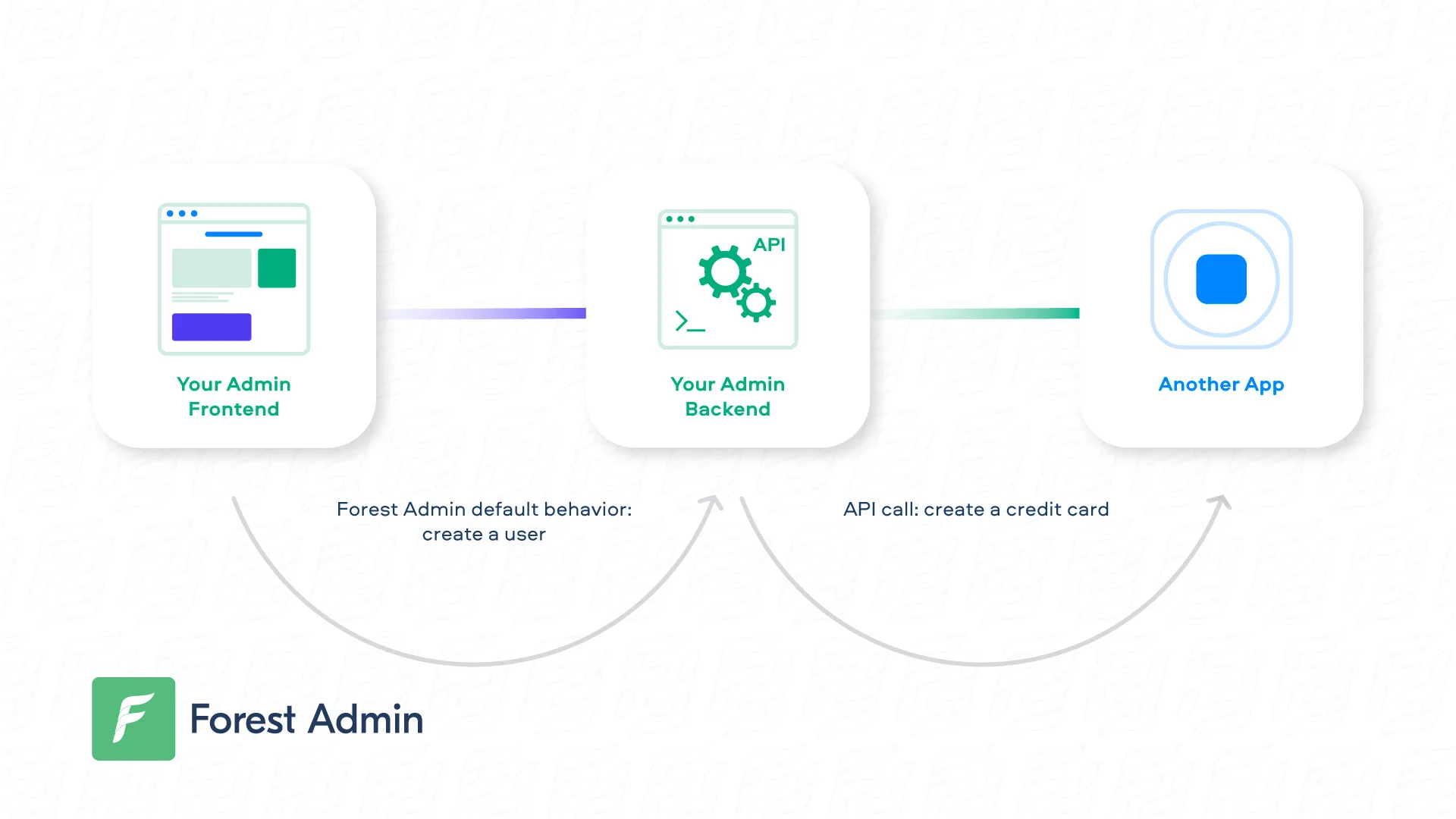
The most simple way to trigger your business app’s (or any external app’s) logic is with an API call! In the following example, we override the CREATE route so that a credit card is created whenever a new customer is created in Forest:
...

// Require superagent once you've installed it (npm install superagent)
const superagent = require('superagent');

...

router.post('/customers', permissionMiddlewareCreator.create(), (req, res, next) => {
  // Prepare the API call using the Forest's posted data
  superagent
    .post('https://my-company/create-card')
    // Don't forget to authenticate your request using the relevant authentication method
    .set('X-API-Key', '**********')
    .end((err, res) => {
      // Call next() to execute Forest's default behavior
      next();
    });
});

...

module.exports = router;

Adding logic with a message broker

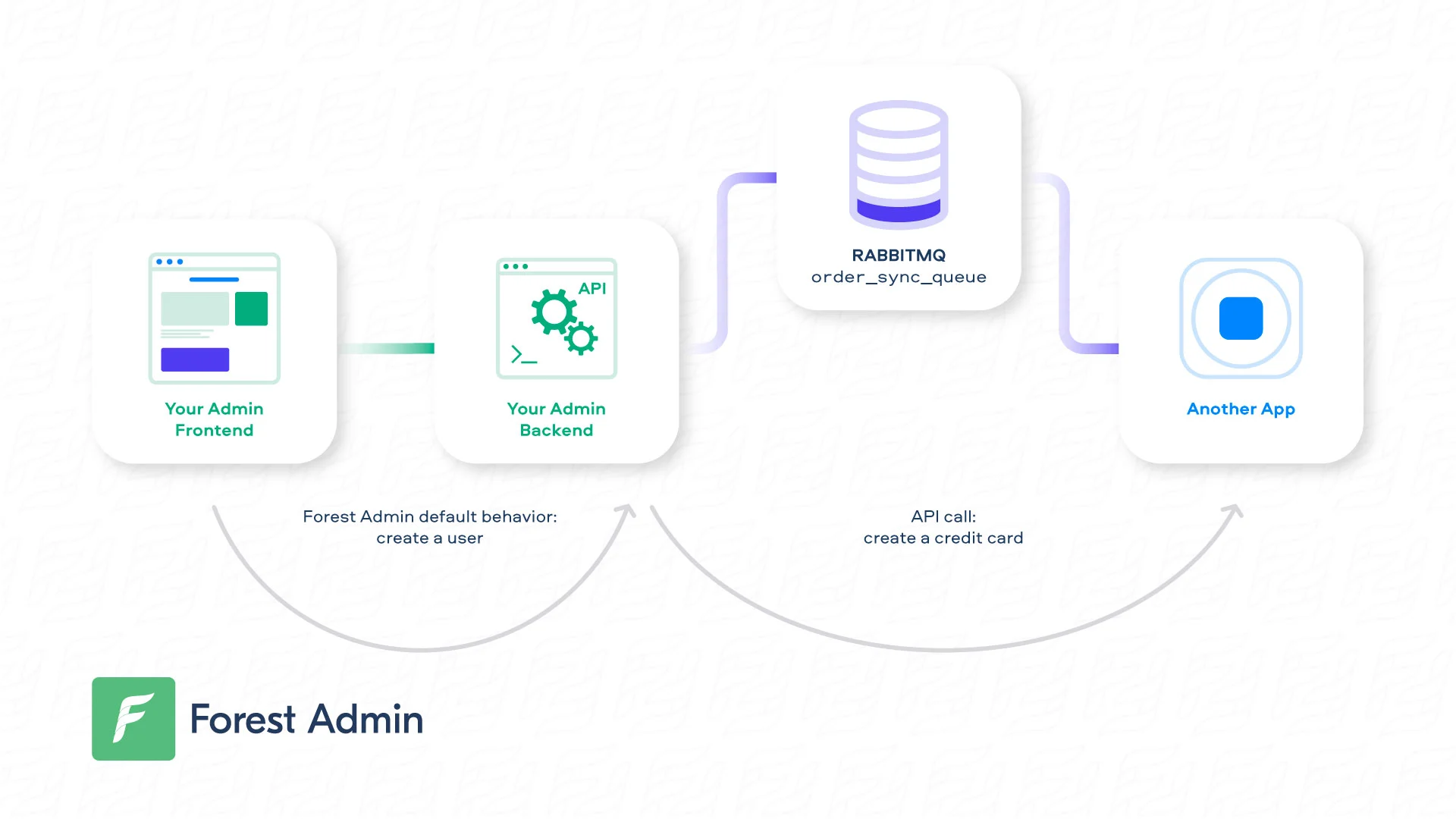
Using a message broker - such as RabbitMQ or Kafka - to broadcast events is current practice. Here is how you could be using RabbitMQ to handle orders synchronization across multiple channels:
...

const amqp = require('amqplib/callback_api');

...

router.put('/orders/:orderId', permissionMiddlewareCreator.update(), (req, res, next) => {
    // Prepare your message from Forest's updated data
	var orderId = req.body.data.id;
	var orderStatus = req.body.data.attributes.shipping_status;
	var message = 'Order ' + orderId + ' shipping status is now: ' + orderStatus;
	var queue = 'orders_sync_queue';

    // Connect to your Rabbitmq remote instance and publish your message
    amqp.connect('amqp://{your_rabbitmq_host}', function(error0, connection) {
	    if (error0) {
	        throw error0;
	    }
	    connection.createChannel(function(error1, channel) {
	        if (error1) {
	            throw error1;
	        }
	        channel.assertQueue(queue, {
	            durable: false
	        });
	        channel.sendToQueue(queue, Buffer.from(message));
	    });
	    setTimeout(function() {
	        connection.close();
	    }, 500);
	});

  // Call next() to execute Forest's default behavior
  next();
});

...

module.exports = router;

Adding logic after Forest’s default behavior

At some point, you may want to trigger your remote logic after Forest’s logic. To achieve this, you can manually recreate next()’s behavior by using the snippets of default routes, then append your own logic.